Every Tool a Canadian Home Inspector Needs — In One Platform
Expert Check is built for inspectors in the field. From first booking to signed-off report, every feature is designed to save you time and make you look professional. See real screenshots from the app below.
Build Complete Inspection Reports on Your Phone
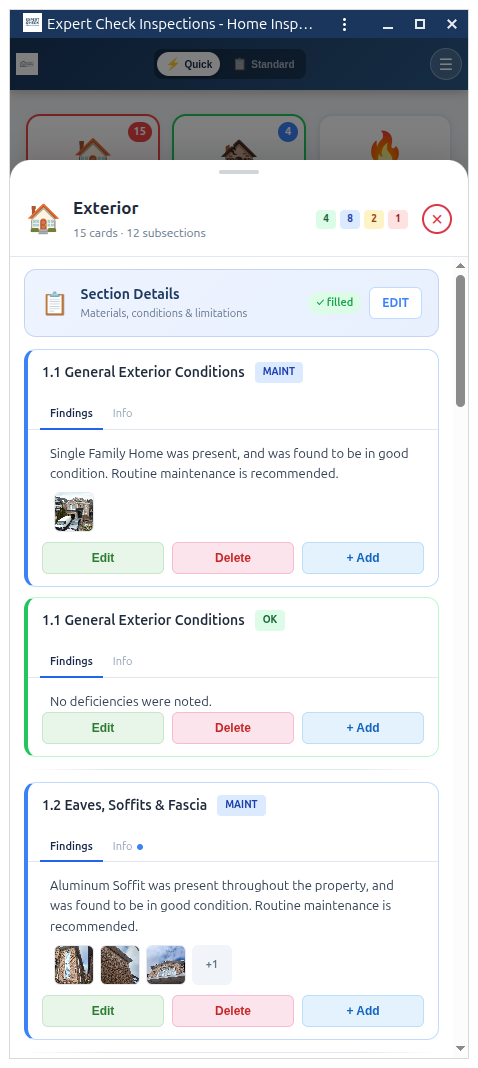
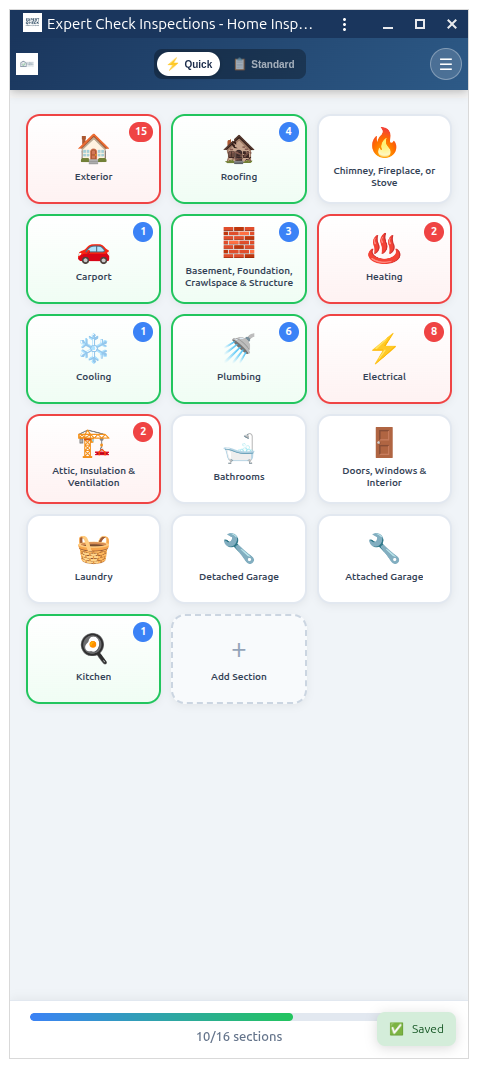
Expert Check gives you a structured, mobile-first report builder with 16 inspection sections and 121 subsections that follow InterNACHI Standards of Practice. Whether you are inspecting a century home in Toronto or a new build in Barrie, every area is covered — from roofing and structural to electrical, plumbing, HVAC, and interior finishes.
For each finding, you add a card with a severity rating: Good, Fair, Poor, or Safety Hazard. Colour-coded badges make it instantly clear what needs attention. Attach photos, write or select narratives, and add recommendations — all without leaving the section you are working in.
The entire interface is optimised for touch. Large tap targets, swipe navigation between sections, and a summary view that updates in real time as you work. Expert Check runs natively in your browser on iPhone, Android, iPad, or any laptop — no app store download required.
1,300+ Built-In Professional Narratives
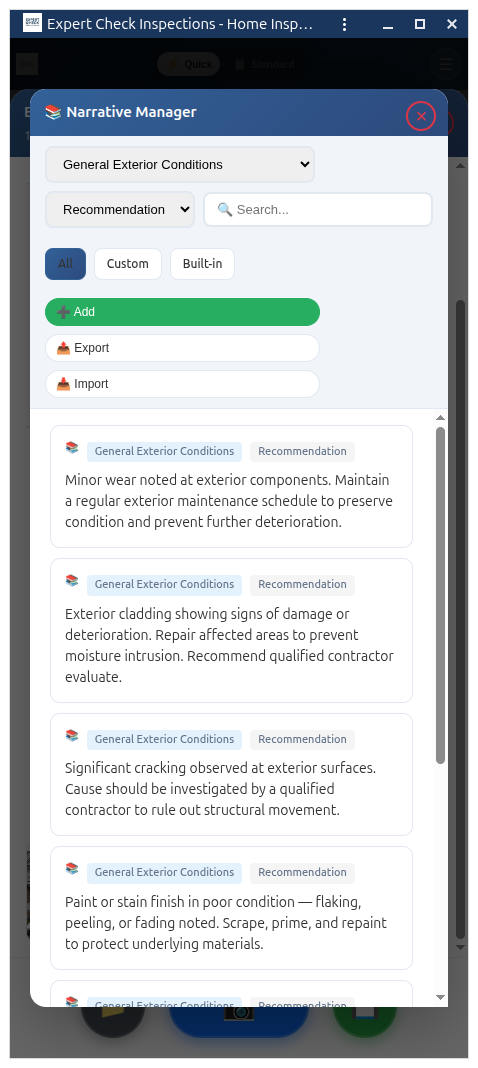
1,300+ narratives included. Zero required. Type a quick note like 'water stain ceiling corner' and our AI expands it into a complete, professional finding — proper grammar, clear language, ready for your client. The narrative library is your backup. The AI is your shortcut.
Narratives are organised by inspection section and subsection. As you work on a card, the suggestion bar shows relevant narratives instantly. Press Tab to accept, or browse the full library and filter by keyword. Every narrative is written in clear, professional Canadian English that clients and real estate agents understand.
You can also save your own custom narratives. If you have a go-to description for knob-and-tube wiring or a recurring HVAC issue, save it once and access it on every future inspection with a single tap.
AI-Powered Report Writing That Sounds Like You
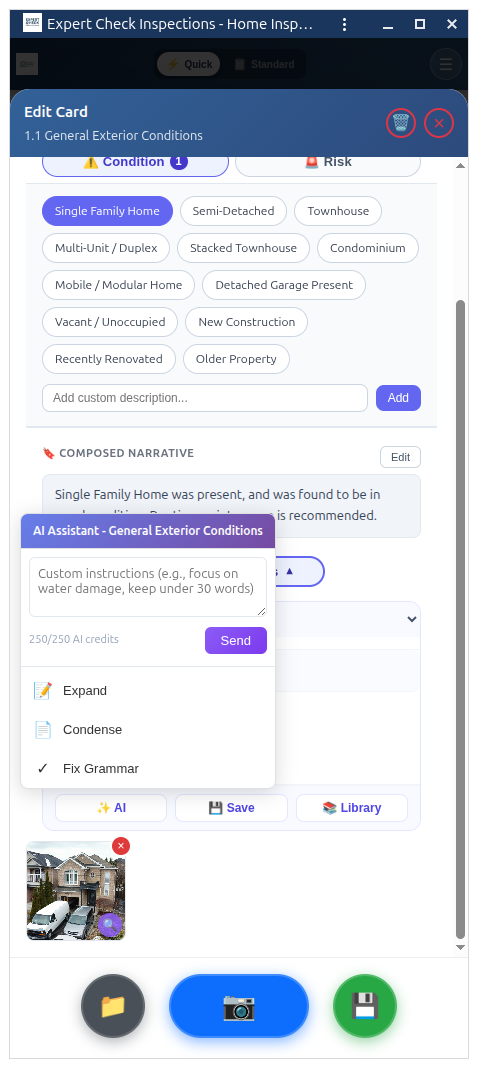
Expert Check integrates GPT-4o mini directly into the report builder. When you are writing a narrative for a finding, tap the AI button and get a context-aware suggestion based on the section, subsection, severity, and any notes you have entered. The result reads like something you would write — not generic filler text.
You can also use AI-powered photo analysis. Take a photo of a defect and let AI generate a description of what it sees: cracked mortar joints, water staining on ceiling drywall, corroded copper connections, and more. You stay in control — every AI suggestion is editable before it goes into your report.
The Professional plan includes 250 AI requests per month. The Pro + AI plan gives you unlimited AI requests so you can use it on every card without thinking about limits.
Annotate Photos Right on Your Phone
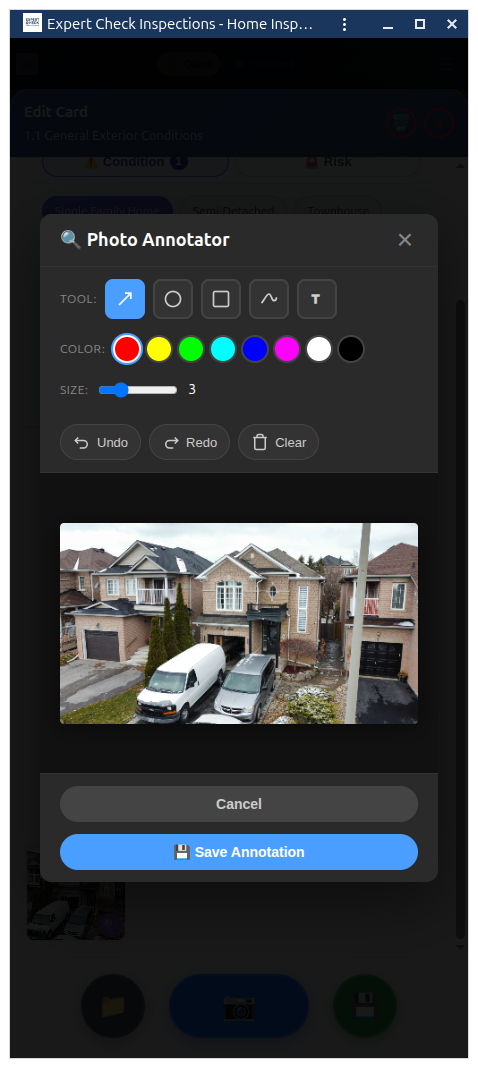
A photo of a crack means nothing to a first-time home buyer if they do not know where to look. Expert Check includes a full canvas-based annotation tool that lets you draw arrows, circles, rectangles, and add text directly on your inspection photos — right from your phone.
Highlight the exact location of a defect so there is no ambiguity. Circle the corroded fitting, draw an arrow to the moisture stain, or add a text label explaining what the client is looking at. Annotations are saved with the photo and appear in both PDF and web reports.
Each finding card supports multiple photos, and they are automatically organised by section. Photos are stored locally on your device and sync to the server when you are back online — so you never lose a shot, even in a basement with no signal.
Keep Every Client Organised in One Place
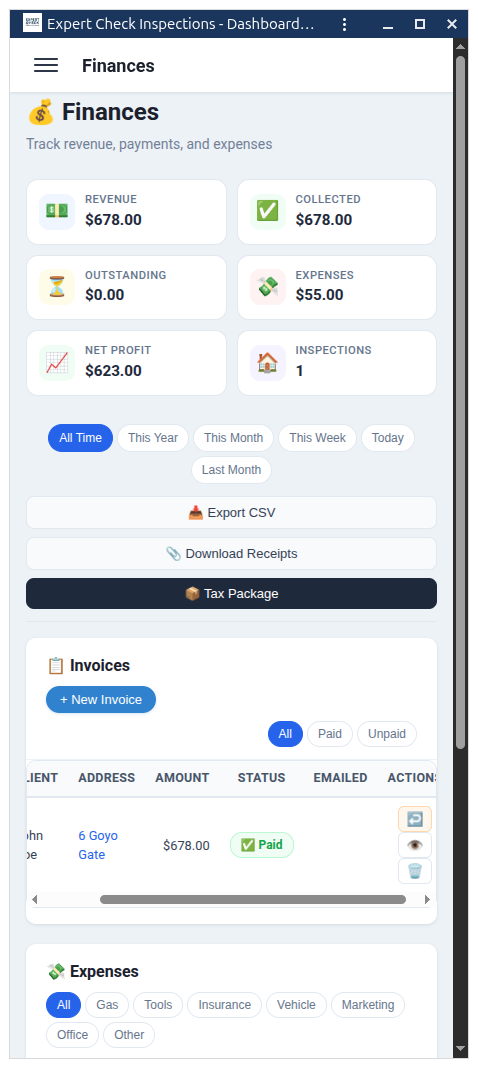
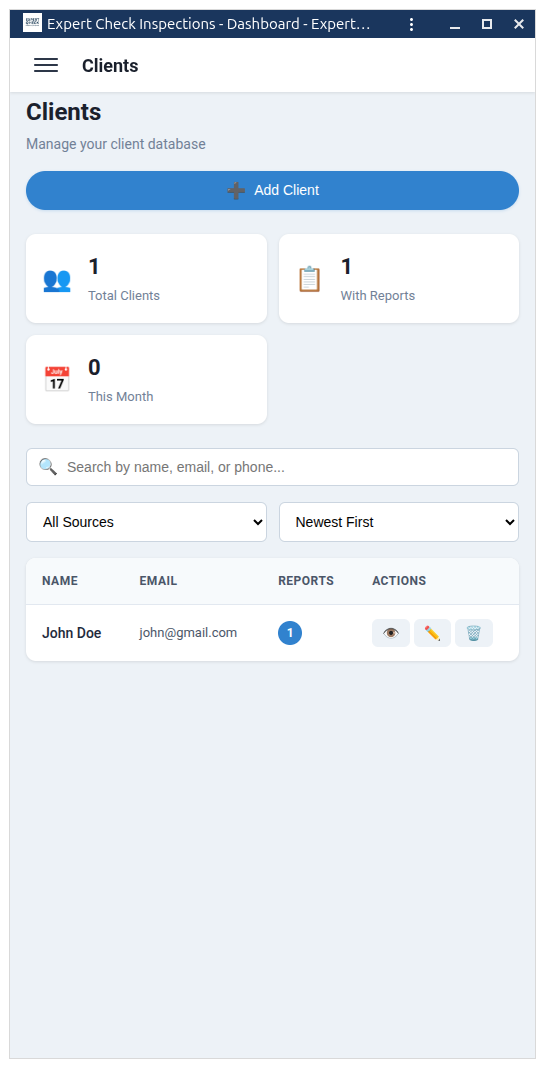
Expert Check includes a built-in client database. When you create a new inspection, you can link it to an existing client or create a new client record. Each profile stores the client's name, email, phone number, and referral source — whether they came through a buyer's agent, listing agent, or found you directly.
Your client list is searchable and sortable. Pull up past inspections by client name, see their full inspection history, and quickly re-use their details when they book a follow-up or refer someone new. No more digging through email threads or spreadsheets to find a phone number.
Referral source tracking helps you understand where your business is coming from. Over time you can see which real estate agents send you the most work and where to focus your relationship-building.
Smart Scheduling with Route Optimisation
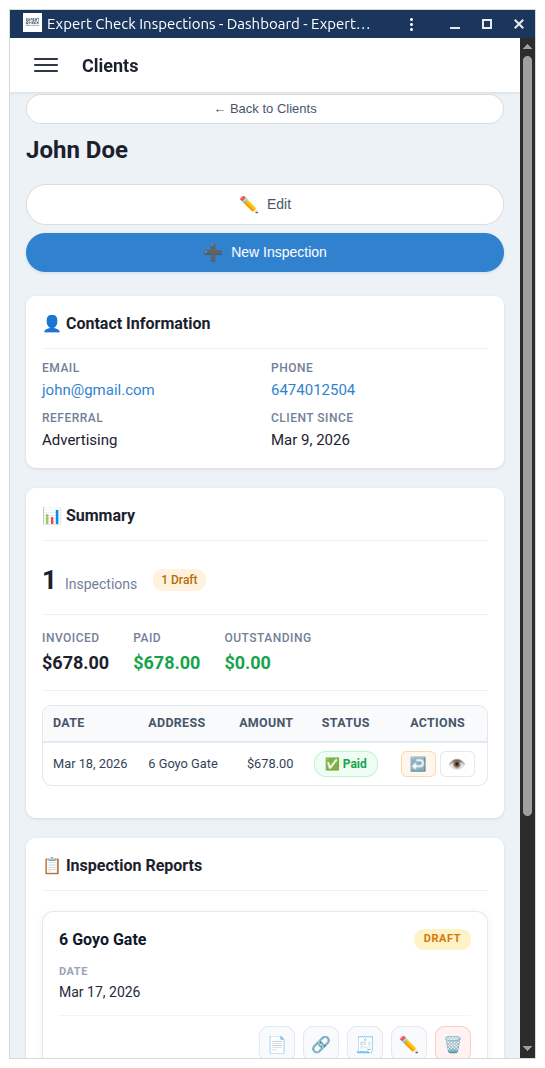
The built-in calendar shows your inspection schedule at a glance — day, week, or month view. Create bookings with a date, time, duration, address, and fee tier. Each booking links directly to its inspection report, so you can jump from calendar to report with one tap.
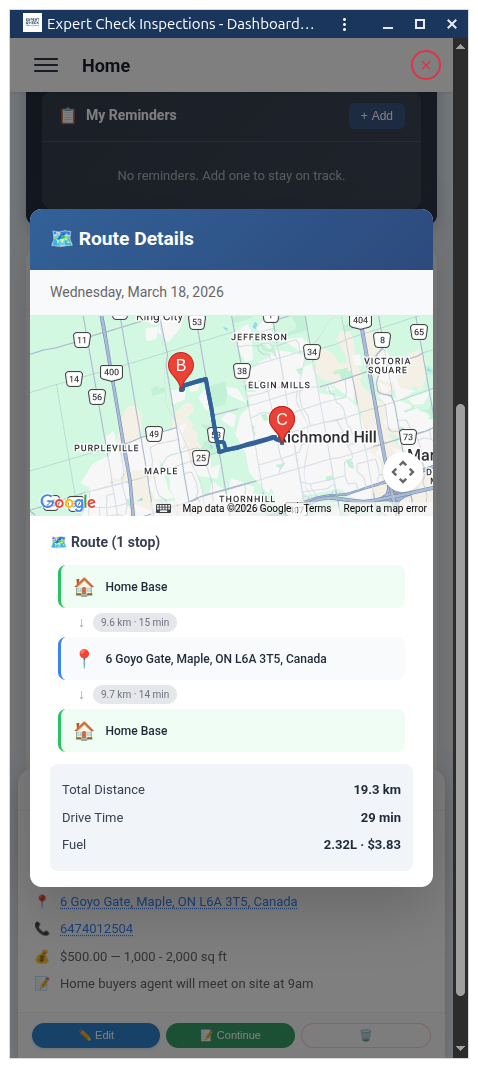
Expert Check integrates with Google Maps to calculate real driving routes. When you have multiple inspections in a day, it builds a chain: Home Base, then Inspection A, then Inspection B, then back Home. You see the total distance in kilometres, estimated drive time, and gas cost based on your vehicle's fuel consumption and current fuel prices.
Time conflict detection warns you if you schedule overlapping inspections. Fee tiers auto-populate based on property size so you always charge the right rate. Everything connects — change an address in the booking and it updates in the inspection and on the route map automatically.
Professional Invoices, Zero Accounting Headache
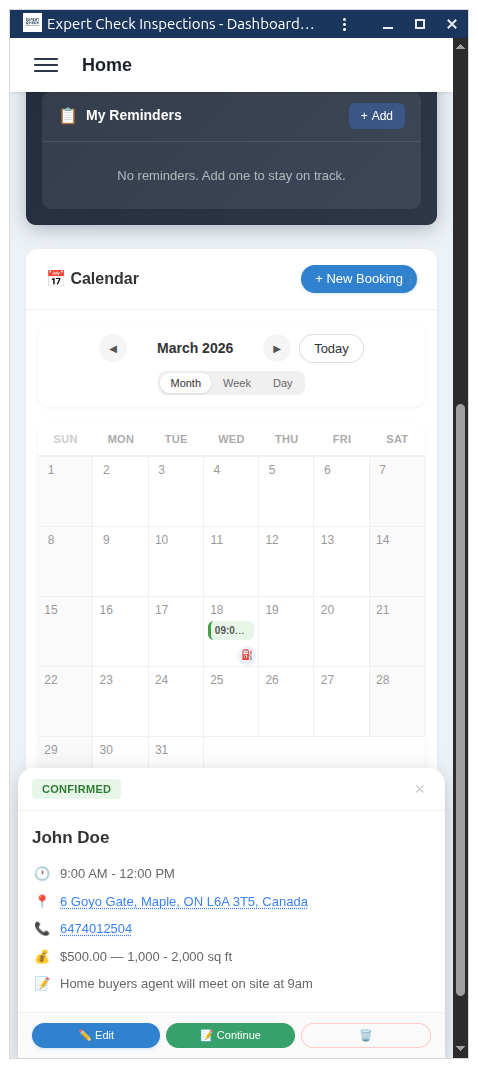
Generate clean, professional invoices directly from your inspections. Each invoice gets a unique number in INV-YYYY-NNNN format, linked to the client and property address. Add your base inspection fee, additional services, and applicable tax — Expert Check calculates the totals automatically.
Track payment status with clear labels: Draft, Sent, Partial, Paid, or Void. The dashboard shows your Revenue (total invoiced) versus Collected (total paid) at a glance, plus outstanding balances so you always know who still owes you. Record individual payments against an invoice as they come in.
No need for separate accounting software when you are getting started. Expert Check handles the basics so you can focus on inspections, not spreadsheets.
Send Clients a Report They'll Actually Read
Expert Check generates polished PDF reports with your company logo, inspector details, and professional formatting. Each section is clearly laid out with colour-coded severity indicators — green for good, yellow for fair, red for poor, and highlighted safety hazards. Annotated photos appear inline next to their findings.
You can also share reports through a secure web link. Clients receive a clean, read-only view of their report that works on any device. They can verify their identity with their email or phone number before accessing the full report — and you control exactly who has access.
The report access control system lets you grant or revoke access for the client, buyer's agent, and listing agent independently. The inspector decides who sees the report and who does not — giving you full control over your work product in every real estate transaction.
Works in Basements, Crawl Spaces, Anywhere
Inspectors do not work in offices with reliable Wi-Fi. You work in basements with stone foundations, crawl spaces under decks, and rural properties where the nearest cell tower is a distant memory. Expert Check is built for exactly these conditions.
As a Progressive Web App, Expert Check stores all application code and your report data locally on your device. You can create an inspection, add findings, take and annotate photos, write narratives, and complete an entire report — all without a single bar of signal. When you get back to connectivity, everything syncs to the server automatically.
Install Expert Check to your phone's home screen and it launches like a native app — full screen, fast, and always ready. There is no App Store or Google Play download required, and updates happen automatically in the background.
Digital Agreements & Signature Capture
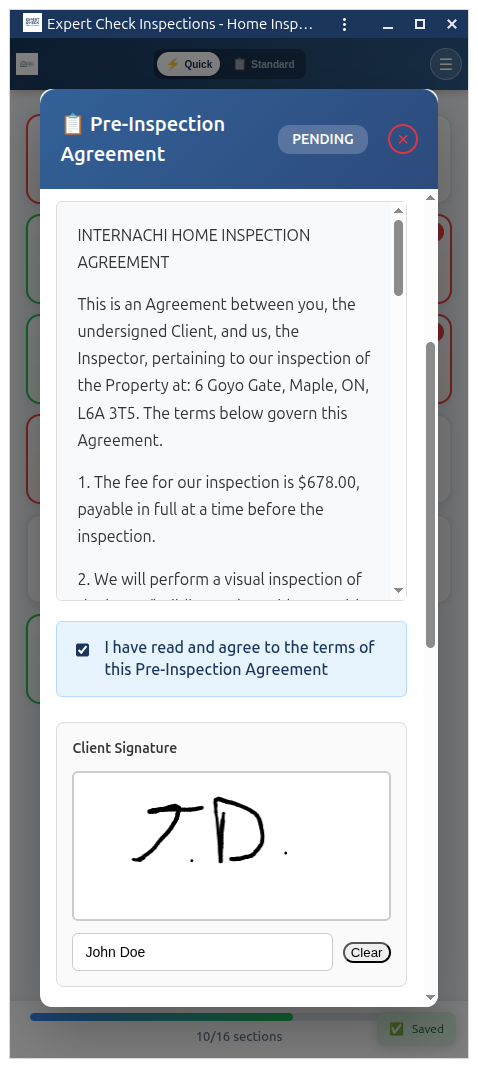
Capture client and inspector signatures directly inside the report — no paper forms, no scanning. Expert Check includes a fully customisable pre-inspection agreement based on InterNACHI standards with built-in signature pads for both parties. The agreement status is tracked in real time: pending, signed, or locked. Once signed, the agreement is locked and attached to the report permanently.
On-site, add additional services with client authorisation and digital initials. Everything is stored with the report — ready for your records or in case of a dispute.
Real Estate Agent CRM
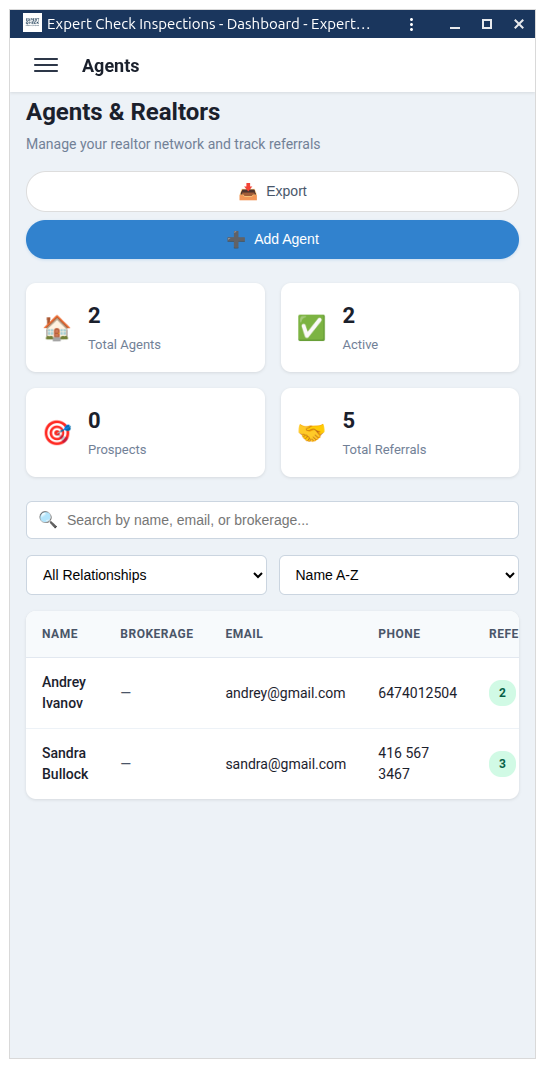
Track your referral network with a dedicated agent portal. Store contact details, brokerage information, and referral history for every listing and buyer's agent you work with. Expert Check automatically links agents to inspections and tracks which agents send you the most business.
Agent contact details appear on your reports and invoices, reinforcing your professional network. Export your agent list anytime for marketing outreach or holiday cards.
Track Every Business Expense
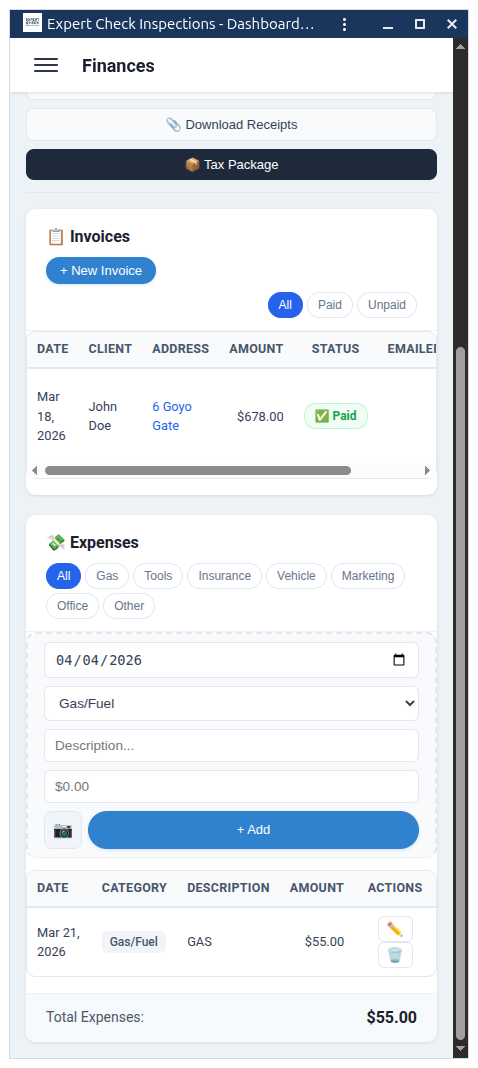
Log fuel costs, tools, insurance, vehicle expenses, and office supplies — all in one place. Expert Check calculates your driving distance and gas costs automatically using Google Maps for every inspection booking. Upload receipt photos directly from your phone for tax-ready records.
At tax time, export your complete expense history with one click. Filter by category, date range, or type. Your accountant will thank you.
Smart Route Planning & Gas Tracking
Expert Check calculates real driving distances between your home base and each inspection using Google Maps Directions API. See estimated drive time, distance in kilometres, and gas cost before you even leave the house. Plan your day with confidence knowing exactly how much travel is involved.
Gas costs are calculated automatically based on your vehicle's fuel consumption and current gas prices — settings you configure once and forget. Travel expenses flow directly into your expense tracker.
Your Inspection Business at a Glance
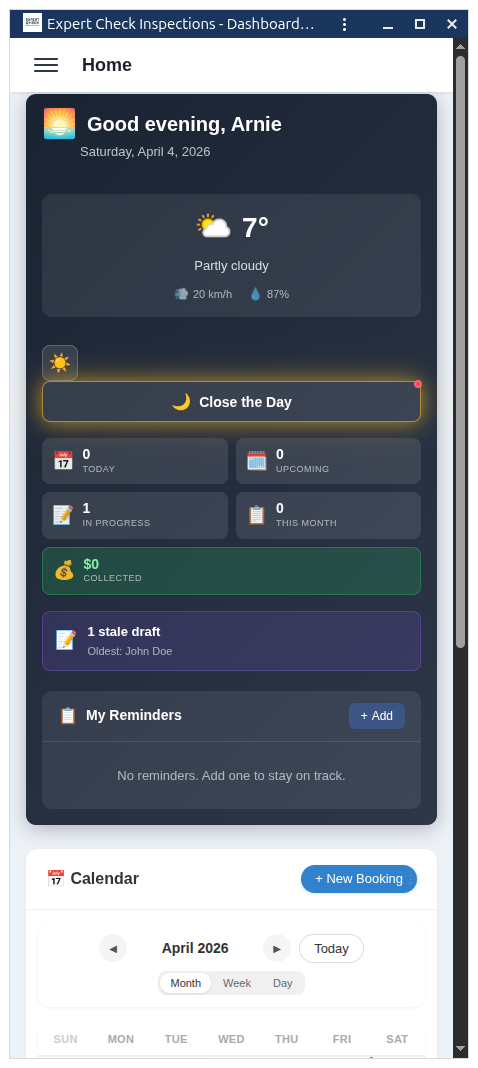
The Expert Check dashboard gives you a complete overview of your inspection business. See upcoming bookings, recent reports, outstanding invoices, and revenue summaries — all on one screen. Quick actions let you create a new inspection, add a client, or check your schedule without navigating through menus.
The built-in media browser organises all your inspection photos, diagrams, and documents. Upload reference materials, company logos, and certification badges that appear on your reports automatically.
Built by a licensed Canadian home inspector who was tired of overpriced American software.
Frequently Asked Questions
Common questions about Expert Check features for Canadian home inspectors
Absolutely. Expert Check is built in Canada and designed specifically for Canadian home inspectors. Our 16 inspection sections and 1,300+ narratives follow InterNACHI Standards of Practice, which are widely adopted across Ontario and all other provinces. All pricing is in Canadian dollars — no hidden currency conversions.
Yes. Expert Check is a Progressive Web App (PWA) with a mobile-first design. It works in any modern browser on iPhone, Android, iPad, or desktop. You can install it to your home screen for a native app experience — no App Store download required. The interface is built for touch with large tap targets and swipe navigation.
Yes. Expert Check stores your report data locally on your device using IndexedDB. You can write your entire report in basements, crawl spaces, or rural properties with no signal. Photos, narratives, annotations — everything is saved locally. When you reconnect, all data syncs automatically to the server. You will never lose work because of a dropped connection.
Most inspectors are up and running within 15 minutes. Sign up with your email or Google account, upload your company logo and inspector photo, configure your services and fee tiers, and you are ready to create your first inspection. There is no complex onboarding, no multi-day training, and no IT department required.
Expert Check is a Canadian company. Your inspection reports, client records, and photos are backed up on secure servers and protected with industry-standard encryption. We take data privacy seriously and comply with Canadian privacy legislation including PIPEDA.
Ready to modernise your inspection business?
Start your free trial today. No credit card required.
Start Free Trial